Two-bedroom apartment
75 m² · 6 lighting circuits, shading
List price
CZK 137,500
CZK 95,000Special price
smart electrical installation
tap a module · scroll on to walk the whole house
walk the whole house
Chapter 01 / 08 · Lighting
06:20 · Morning scene — all by itself
The kitchen comes on in warm white and the blinds let in the first sun. You set the Morning scene once.
The kitchen comes on in warm white and the blinds let in the first sun. Nobody pressed anything — you set the Morning scene as the default for the early hours once, and that was it.
08:10 · nobody home
The last one out closes the door — and every light switches itself off. The blinds keep watching the sun.
The last person closes the door behind them and every light switches itself off. Meanwhile the blinds keep watching the sun: the slats tilt to exactly the angle that stops the direct beam — the view stays.
17:30 · the default scene for early evening
You are back and the kitchen switches to the Cooking scene. Every time of day has a default scene; BARAQ switches it itself.
You are back and the kitchen switches to the Cooking scene — spots aim at the worktop, the LED strip under the cabinets shifts to amber. No flood of white. And no magic: you assigned a default scene to each time of day and BARAQ switches them itself. You can change anything by hand, any time.
20:50 · one touch on ioSWIPE
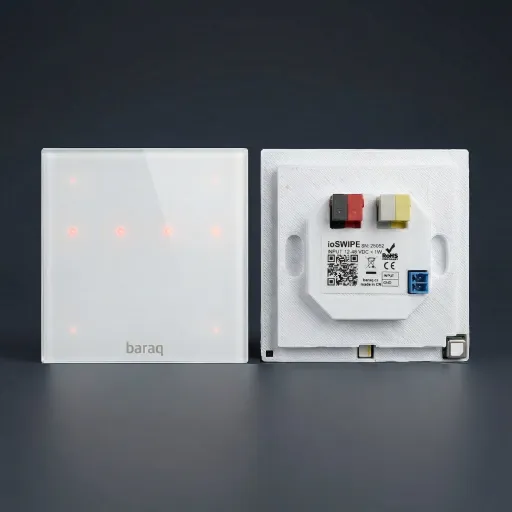
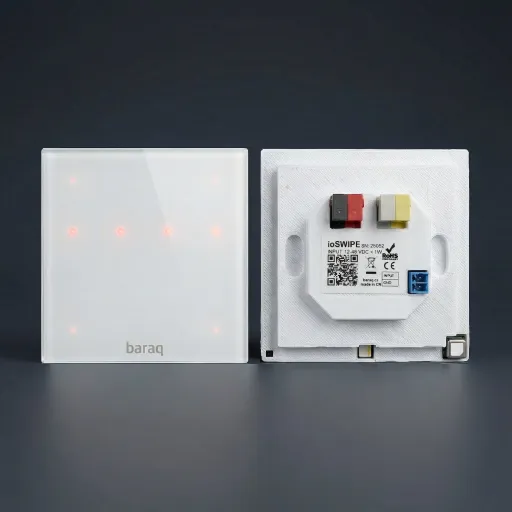
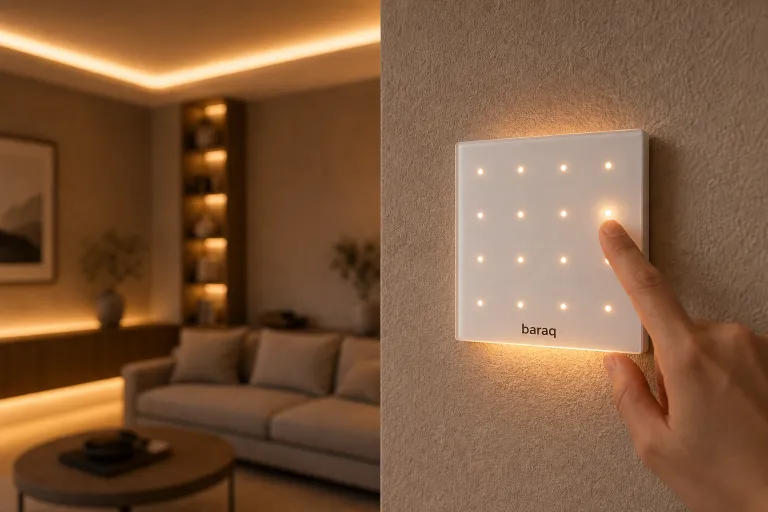
A tap on the Movie pad: TV backlight to blue, lamps dimmed, blinds drawn. Four scenes live right on the switch.
A tap on the Movie pad: TV backlight to blue, lamps dimmed, everything else off. It is getting dark outside, so the blinds draw the privacy themselves. Four favourite scenes live right on the switch.
23:05 · a palm on the switch
A palm on the glass and the room falls asleep: lights to a night minimum, blinds blacked out. The guide light stays on.
Hold your palm on the glass and the room falls asleep: the lights fade to a night minimum, the blinds black out. On the edge of the switch the guide light stays lit — a quiet little night lamp that sees you through the dark.
Scenes · presence-aware lights · smart shading · a night guide light — all in one ioSWIPE switch. Try the simulator → · The same palm can lock the house too — chapter Security →
Scenes live on the second row of pads: Morning · Work · Dinner · Movie. A tap on the fourth pad switches to Movie — a single touch on the glass.
Chapter 02 / 08 · Circadian rhythm
06:40 · Morning scene
The lights come up at a warm 2,700 K with low brightness — no cold jolt first thing. The day brings the brightness.
Coffee is brewing and the lights come up at a warm 2,700 K with low brightness — no cold jolt first thing. Outside, dawn is just breaking; the day will bring the brightness, the house simply meets it halfway.
09:30 · Work scene
The work corner gets brighter and shifts to a neutral white around 4,700 K.
The work corner becomes brighter and shifts to a neutral white around 4,700 K. Adjust the lighting to the task at hand.
13:00 · sun at its highest
At noon, daylight is at its coolest and strongest. The window plays the lead, the fixtures just fill in.
At noon, daylight is at its coolest and strongest — the window plays the lead, the fixtures just quietly fill in. This is exactly the curve the Light by time of day rule follows.
16:20 · homework after school
The desk light stays bright for homework while the rest of the room dims into the evening scene.
Afternoons at the desk are for homework. The desk light stays bright while the rest of the room gradually dims into the evening scene.
18:40 · Hobby scene
The room settles into warm white; the lamp over the model keeps a neutral island. The scene follows the activity.
The room settles into warm white, but the lamp above the unfinished model keeps a neutral island — colours and details need to be seen. The scene follows the activity, not just the clock.
20:40 · Gaming scene
The room stays softly warm while you play. Screen brightness is set separately.
The room stays softly lit with warm light while you play. Adjust screen brightness separately — room lighting alone cannot remove a screen’s effect on sleep.
22:10 · Reading scene
Amber 2,200 K, tea and a few pages. Light that doesn't argue with the body when it says the day is over.
Amber 2,200 K, tea and a few pages. No grand gesture — just light that doesn't argue with the body when it says the day is over.
23:30 · good night
Darkness for sleeping, only an orange trace by the switch. In the morning it starts again — by itself, on the same curve.
Darkness for sleeping, only an orange trace by the switch for the night path. In the morning it all starts again — by itself, along the same curve.
Tunable white · scenes · the Light by time of day rule — all in one ioSWIPE switch. More in the article → · Price smart lighting →
What the science says · BARAQ article
Morning light sets the clockThe body clock is driven mainly by light and dark. Morning daylight helps the body recognise the start of the active day — in the evening, light should be dimmed instead.
Chapter 03 / 08 · Shading
07:30 · morning
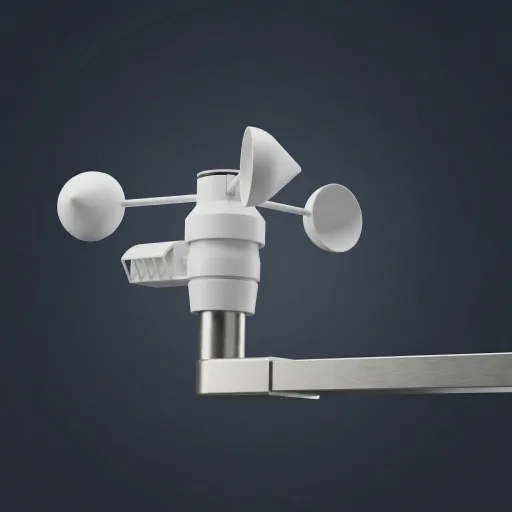
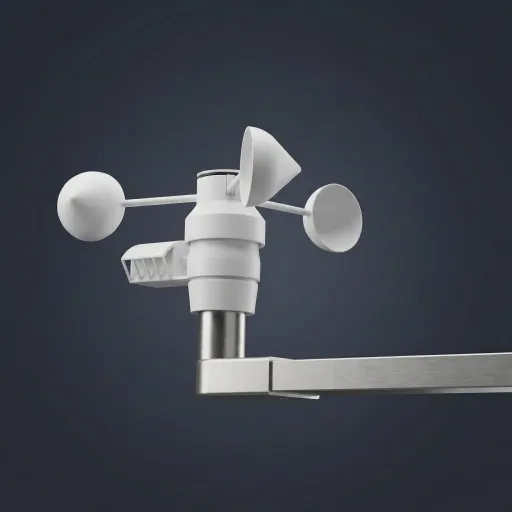
BARAQ knows the sun's path and the ioMETEO forecast. The blinds come down before the rooms heat up.
BARAQ knows the sun's path and the ioMETEO forecast. The blinds come down before the rooms have a chance to heat up.
13:00 · 33 °C outside
The sun beats on the south facade. The blinds descend and the interior holds 24 °C with no air conditioning.
The sun beats down on the south facade. The blinds descend, the glass stays in shadow — the interior holds 24 °C with no air conditioning.
modelled summer day
16:00 · slats
The slats track the sun: daylight flows in, the heat stays outside.
The slats track the sun's angle all day: daylight flows in, while the heat stays outside.
21:30 · evening
At dusk the blinds close. Nobody can see in — and you didn't have to do a thing.
At dusk the blinds close. Nobody can see in — and you didn't have to lift a finger.
winter · reversed
Opposite logic: the slats let the low winter sun in and let it heat for free.
Same system, opposite logic: the slats let the low winter sun inside and let it heat your home for free.
And when a storm rolls in? Wind protection for the blinds is covered in the Security → chapter
Living-room temperature
°C · 07:00–22:00 · summer day, south facade
modelled summer day · 33 °C outside · no air conditioning at all
Slat angle
tracking the sun — all day, continuously
TV glare: eliminated
daylight keeps flowing in
Summer cools. Winter warms.
same blinds, opposite logic
modelled summer day · 33 °C outside
Chapter 04 / 08 · Security
21:30 · leaving home
Hold your palm on the ioSWIPE by the door and the house stands guard: contacts on doors and gate, motion sensors on both floors.
Hold your palm on the ioSWIPE by the front door and the house stands guard: magnetic contacts on the doors and the gate, motion sensors on both floors. The alarm does not need its own box on the wall — it is part of the system.
door and gate contacts, PIR on both floors, a keypad in the ioSWIPE glass — no second control panel on the wall
the ioFLOOD sensor can trigger a connected motorised valve; closing time depends on the valve type
blinds tucked into cassettes · 18:12 — protecting the slats from wind damage
Chapter 05 / 08 · Heating & cooling
Winter · 05:00 · −7 °C outside
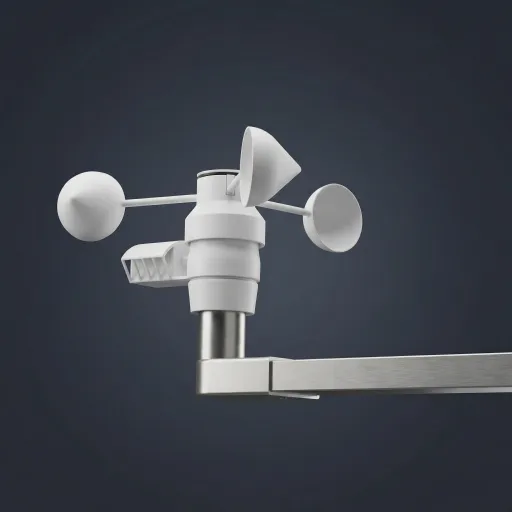
Using the ioMETEO forecast, the house works out when to start so the living room is at 22 °C by six.
Using the forecast from the ioMETEO weather station, the house works out when to start so the living room is at 22 °C by six in the morning. Water at 35 °C flows through the floor — and only into the loops where heating makes sense right now.
06:10 · living room · 21.6 °C
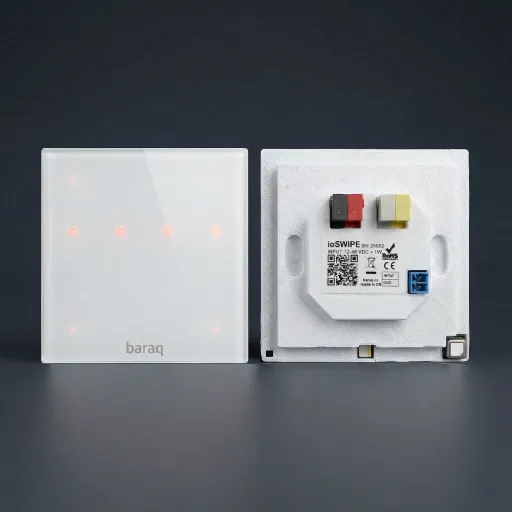
ioSWIPE measures temperature, humidity and CO₂ right where you live. It reports over the bus: two wires, no batteries.
ioSWIPE is more than a switch — it measures temperature, humidity and CO₂ right where you live. Every change is reported over the babus bus: two wires, no Wi-Fi, no batteries in wall boxes.
06:10 · distribution board · three modules
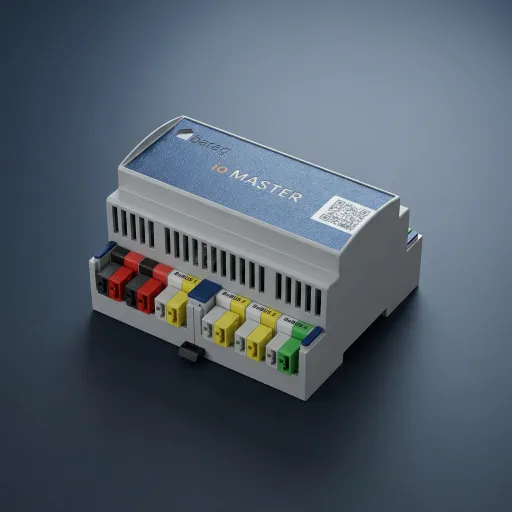
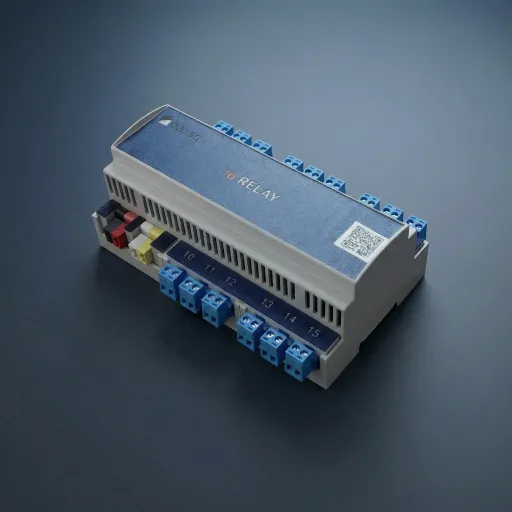
ioMASTER compares the readings against the heating plan and, via ioRELAY, switches exactly the loop that should heat.
In the board, ioMASTER compares the readings against the heating plan and, through ioRELAY, switches the actuator of exactly the loop that should heat. No magic — a relay that quietly clicks, and warm water flows into the bathroom loop.
06:30 · five loops, five temperatures
Bathroom 23 °C, bedroom 18 °C, living room 22 °C. Water flows only where it is needed. Every degree down is roughly 6 % of the energy.
In the morning the bathroom holds 23 °C, the bedroom sleeps at 18 °C, the living room sits at 22 °C. Each underfloor loop has its own actuator — water flows only into the rooms that need it right now. And every degree down is roughly 6 % of the energy.
17:30 · heating scenes
Frost guard 5 °C, Setback 17 °C, Work 19 °C, Comfort 22 °C. The weekly plan switches them for each room separately.
Heating scenes work like lighting scenes: Frost guard 5 °C, Setback 17 °C, Work 19 °C, Comfort 22 °C. The weekly plan switches them for each room separately — and you only rarely reach for plus and minus.
July · 14:00 · 33 °C outside
The blinds stop the sun, the heat pump reverses and water at 18 °C flows through the floor. The zones still apply.
The blinds stop the sun before the glass, the heat pump reverses, and water at 18 °C flows through the floor. The zones still apply — the bedroom is pre-cooled for the night, the bathroom is skipped because of the dew point. For a quick top-up the house calls in the air conditioning.
And how much does it save?
Public sources cite roughly 5–10 % for well-tuned control with setbacks. We won't promise a specific amount.
Public sources cite roughly 5–10 % for well-tuned heating control with setbacks — and heating is our biggest consumption item. We won't promise a specific amount. We give you a sensor in every room, zones, a plan and a forecast that get the most out of every degree.
ioSWIPE · ioMASTER · ioRELAY · ioVALVE — all on a single bus. Get an estimate → · Explore the modules →
Sources: CZSO ENERGO 2021 · MPO/SFŽP (setbacks 5–10 %) · Acond 2024 (heat-pump cooling) · TZB-info (predictive control)
Chapter 06 / 08 · Energy
Sunny day · illustrative example
The example shows how a home can use changing electricity prices. Figures are illustrative; results depend on tariff and equipment.
This example shows how a home can use changing electricity prices. The figures are illustrative: results depend on the tariff, fees, installed equipment and consumption.
12:24 · price below zero
The roof gives 7.8 kW. Surplus goes to water heating and charging. A negative wholesale price is not a negative final price.
In this example, the roof produces 7.8 kW. The home can use surplus power for water heating and charging. A negative wholesale price does not necessarily mean a negative final price for consumption.
14:00 · −12.30 Kč/kWh
Car charging and water heating take priority in hours with surplus or better prices.
Car charging and water heating take priority when surplus power or better prices are available. The saving depends on your tariff and equipment.
20:00 · peak at 4.50 Kč/kWh
In this example evening, a charged battery covers consumption. In reality, capacity and running appliances decide.
In this illustrative evening, a charged battery covers consumption. In your home, the result depends on capacity, available energy and the appliances in use.
02:10 · night
The house shifts some consumption into cheaper hours. Backup during an outage depends on the inverter and battery.
The house can shift some consumption into cheaper hours. Backup power during an outage depends on the inverter, battery and wiring of the backed-up circuits.
07:30 · illustrative daily result
This example produces a difference of CZK 239 a day. Neither a measured saving nor a promise of payback.
This example produces a difference of CZK 239 for the day. It is neither a measured household saving nor a promise of payback. For your home, the equipment, consumption and system price decide.
Estimate the price for your homeElectricity price · illustrative day
CZK per kWh · illustrative wholesale prices
Illustrative price curve, not an OTE historical record. These are not final household prices; tariffs and fees change the result.
What consumption control can change
two illustrative scenarios, one home
The model shifts some consumption into cheaper hours using a battery and water heating. The result depends on capacity and tariff.
Illustrative calculation, not installation measurements. Excludes purchase costs; actual savings and payback vary with the home and tariff.
Chapter 07 / 08 · Ventilation
Heat recovery · demand-controlled ventilation
The house breathes on its own. BARAQ measures CO₂ in every room and drives the ventilation — quietly, even while you sleep.
The house breathes on its own. BARAQ measures CO₂ in every room and drives the heat-recovery unit accordingly — quietly, continuously, even while you sleep.
23:00 · bedroom
With two people in a closed bedroom the air changes fast. BARAQ reacts to the readings and adjusts ventilation.
With two people asleep behind a closed door, the air thickens fast. BARAQ follows the room’s readings and adjusts the ventilation. The chart is illustrative — actual readings depend on the unit, the room and the occupancy.
02:14 · intervention
The sensor reports rising CO₂ and BARAQ steps up the ventilation by rule. The 40 % increase is an example scenario.
The sensor reports rising CO₂ and BARAQ steps up the ventilation by the configured rule. The 40% increase shown here is an example, not a fixed setting for every home.
window × heat recovery
An open window lets noise and pollen in and heat out. Heat recovery brings in filtered air and keeps the heat.
An open window lets noise and pollen in — and heat out. Heat-recovery ventilation brings in filtered fresh air and keeps the heat.
heat recovery
The exchanger passes some heat from outgoing to incoming air. How much depends on the unit, airflow and outside temperature.
The exchanger transfers some heat from outgoing air to incoming fresh air. How much is recovered depends on the ventilation unit, airflow and outside temperature.
06:30 · morning
The example night: an average of 660 ppm and 9.4 kWh of recovered heat. The overview connects readings and ventilation.
This illustrative night shows an average of 660 ppm and 9.4 kWh of recovered heat. The overview connects measurements and ventilation operation so you can see what is happening at home.
Get a quote for your home →Chapter 08 / 08 · Connectivity
Connectivity · decide later
The foundation is the babus bus — two wires to every module. But every module also has Wi-Fi and Bluetooth. Next year's idea connects next year.
The foundation is the babus bus — two wires to every module, no batteries, no Wi-Fi dropouts. But nothing is set in stone: alongside RS-485, every module also carries Wi-Fi and Bluetooth. Whatever you think of next year, you connect next year.
Under the lens · ioSWIPE
ioSWIPE holds three paths: the RS-485 bus, Wi-Fi and Bluetooth. Wire a sensor straight to the ioSWIPE.
ioSWIPE holds three paths at once: the wired RS-485 bus, Wi-Fi and Bluetooth. Plus a physical input — wire a sensor or a button straight to the ioSWIPE, with no cables pulled back to the cabinet. Wireless sensors nearby report to it directly.
Under the lens · ioMULTISENS
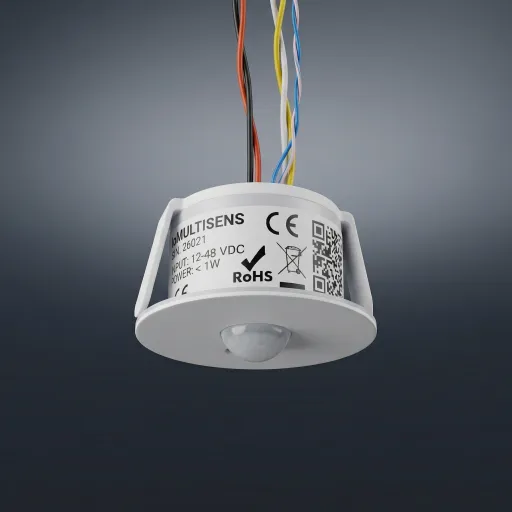
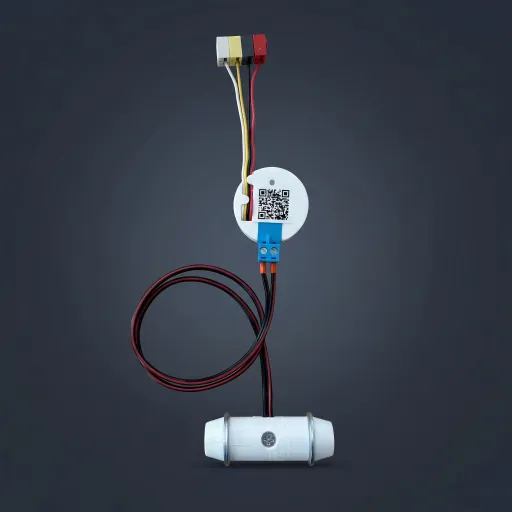
Motion, sound and light in one Ø 52 mm puck — ceiling, shelf or terrace. It sits on the same cable as the switches.
Ø 52 mm, 40 mm mounting hole: motion, sound and light (PIR · MIC · LUX), IP44 rated — into the ceiling, onto a shelf, out on the terrace. It sits on the same cable as the switches and, like ioSWIPE, acts as a gateway: a physical input, Wi-Fi and Bluetooth.
New idea no. 1 · light
A new light joins the DALI bus. The app finds it by itself and every scene applies instantly. No chasing walls.
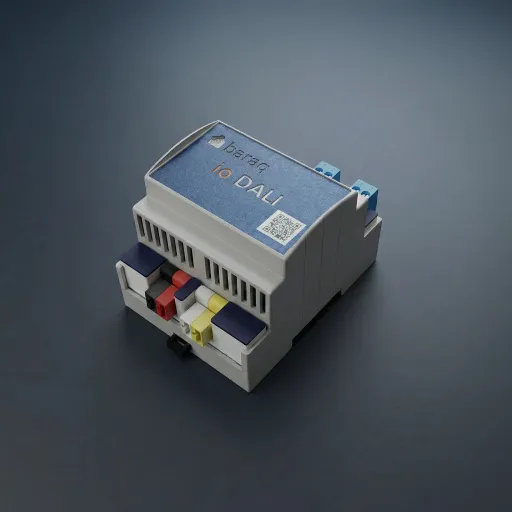
It joins the DALI lighting bus — ioDALI carries two buses and 64 ballasts per channel. The app finds the new light by itself (“Add DALI ballast”) and every scene applies to it instantly. No chasing walls, no new cabinet.
New idea no. 2 · a third-party box
Compatible lights, plugs or sensors can join shared scenes. Support for a specific device needs checking.
Compatible lights, plugs or sensors can join shared scenes. Support for the specific device and its functions is worth checking in advance.
New idea no. 3 · greenhouse
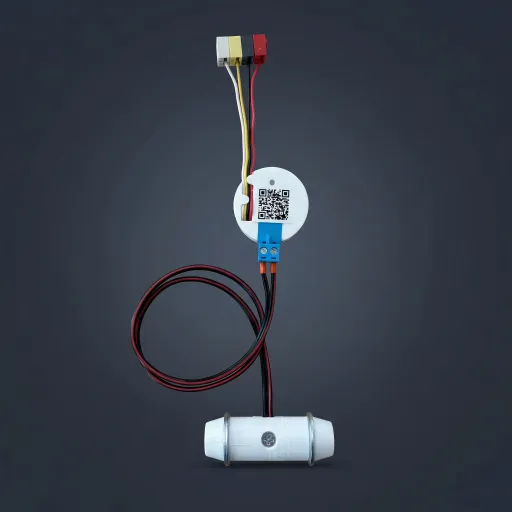
A wireless moisture sensor at every plant. The house opens drip irrigation only where it is dry: today the tomatoes drink, the lettuce waits.
A greenhouse grew behind the house: tomatoes, herbs, lettuce — and a wireless moisture sensor at every plant. Over radio they report to the gateway in the switch, and the house opens drip irrigation only where it is truly dry: today the tomatoes drink, the lettuce waits. Wired sensors are still served by the physical inputs and ioINPUT (16×).
And when the rules change?
Consumption control can use data from a smart meter and a suitable tariff. Terms depend on your supplier.
Consumption monitoring and control can use data from a smart meter and a suitable tariff. Connectivity, price terms and opportunities to shift consumption depend on your supplier and home equipment.
babus · DALI · Wi-Fi · Bluetooth · Matter · Thread · 16× physical inputs — one house. Get an estimate → · Explore the modules →
Sources: oenergetice.cz / E15 (dynamic tariff, AMM) · usetreno.cz (off-peak times set by distributors) · baraq module specifications
three paths in every module — ioSWIPE and ioMULTISENS sit on the bus and act as gateways: a physical input in the body, radio for wireless sensors
one ioDALI module = up to 128 luminaires; the app finds a new light by itself, no electrician at the cabinet
check support for the specific device and functions before buying
opportunities to shift consumption depend on tariff, metering and connected equipment
The end · you've walked the whole house
Eight chapters, one system, your rules. Price a design for your floor plan in minutes — with three sample budgets right below.
We show indicative prices for configurations we have actually designed, so you know what budget to expect.
75 m² · 6 lighting circuits, shading
List price
CZK 137,500
CZK 95,000Special price
129 m² · standard set-up
List price
CZK 195,000
CZK 141,000Special price
150 m² · solar, heat pump, heat recovery, wallbox
List price
CZK 283,000
CZK 211,400Special price
Every configuration includes
Not included
Prices are indicative and include VAT. We will prepare an exact quotation for your project.
Special prices are available to the first 15 households.